

Collect study data in the flow.
Build Rosella forms, request responses, review submissions, and connect external survey tools while keeping each form tied to the participant journey.
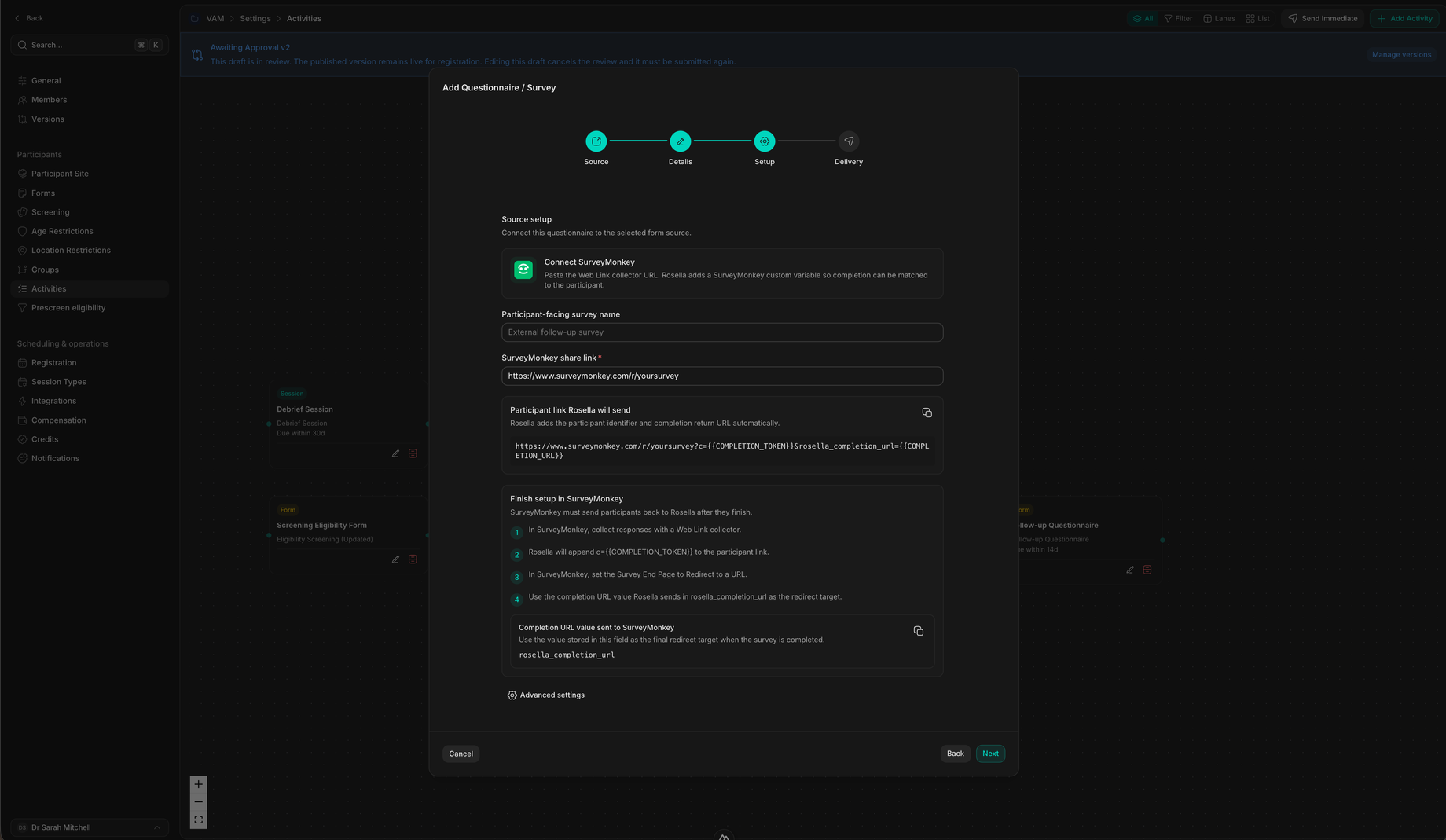
Data collection
Forms that belong to the workflow, not a separate island.
Forms can support screening, baseline surveys, debriefs, follow-ups, consent-adjacent checks, and study completion.
Rosella forms
Use forms as part of the participant journey.
A form is not just a document; it can be the thing that unlocks a follow-up, marks a milestone complete, or gives staff the context to decide next steps.
- Build once, use in workflowsCreate the form, then connect it to activities and participant requests.
- Review from contextInspect responses from project response lists or the participant profile.
- Track completionSubmitted forms update event progress so staff can see who is done and who needs a reminder.
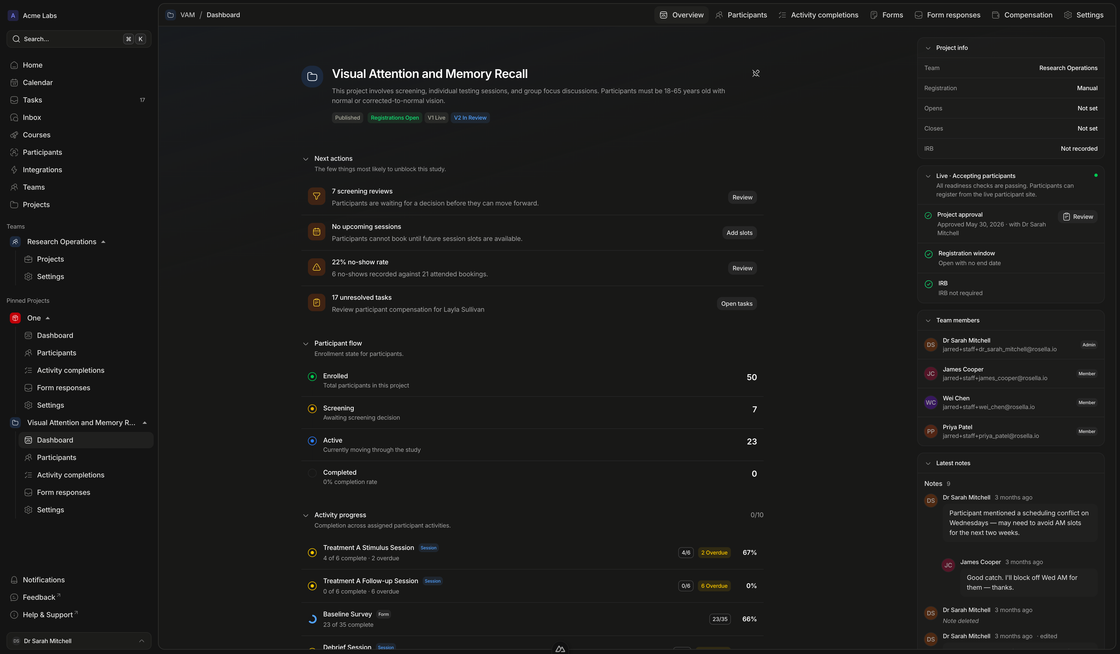
External surveys
Connect specialist survey tools without losing participant completion state.
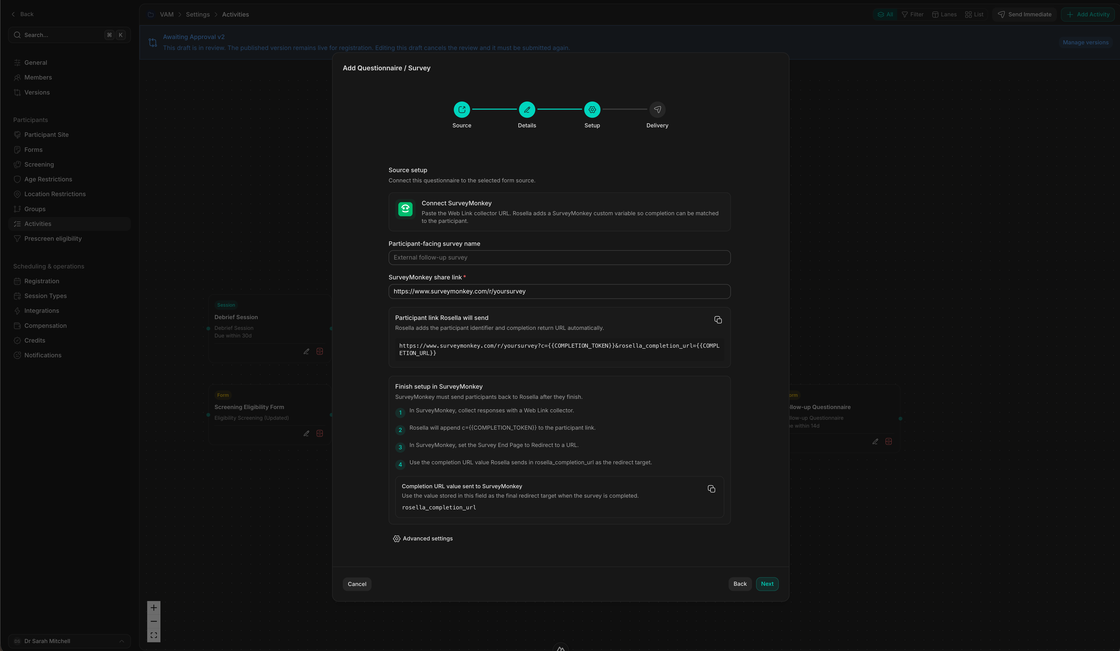
External survey links can include completion tokens so Rosella can match finished surveys back to the participant and continue the workflow.
- Send the right linkParticipant-specific survey URLs preserve completion matching.
- Receive completion eventsSurvey completion can return to Rosella and update the participant activity.
- Keep the workflow movingOnce the survey is complete, dependent activities can unlock for the participant.
Form flow
Request, complete, review, and act.
Rosella keeps form work connected to participants, activities, and staff review.
Build
Create the form or connect the survey
Use Rosella forms for operational data collection or connect an external survey provider.
Attach
Add it to the activity workflow
Make the form a participant activity with unlock timing, due dates, dependencies, and audience rules.
Request
Send the participant to complete it
Use form requests, reminders, and participant portal actions to get the response.
Review
Use the response to decide what happens next
Inspect submissions, update screening state, continue the workflow, or trigger staff follow-up.
Keep forms connected to participant progress.
Use Rosella for the forms your team owns and connect external survey tools when the protocol calls for them.